Drum Licks: grooves, variations and fills
Sign in with an account to use musical features. Availability also depends on your licence and assigned permissions. Presentation pages and manuals can be read without signing in.
- Choose genre and pattern. Compare simple grooves with ghost-note and more elaborate versions.
- Set BPM and bar count. The meter follows the selected pattern.
- Choose Black Pearl, Red Zeppelin, Blonde Bop, Blonde Bop · Hot Rods, Buskman’s Holiday, Salamander, TR-808 · FluidR3 or Brushes · FluidR3.
- Select no fills or a fill every 2, 4 or 8 bars. Humanisation introduces small timing and velocity variations.
- Choose Repetition and listen with Play. After editing, wait for the updated pattern.
Editing the grid
Rows represent kit pieces and columns represent subdivisions. Clicking a cell cycles through empty, soft hit, accented hit and empty again. The server updates the grid.
Press Create Block in DAW in the Digital Audio Workstation section at the bottom of the panel. Save versions and export MIDI from the DAW. Kit and generation settings travel with the block; a duplicate can be edited independently.
During playback, a vertical line follows playback and the grid scrolls to keep it visible. Selections and cell edits persist in the browser and return when you reopen the module. Keep multiple versions as DAW blocks or projects.
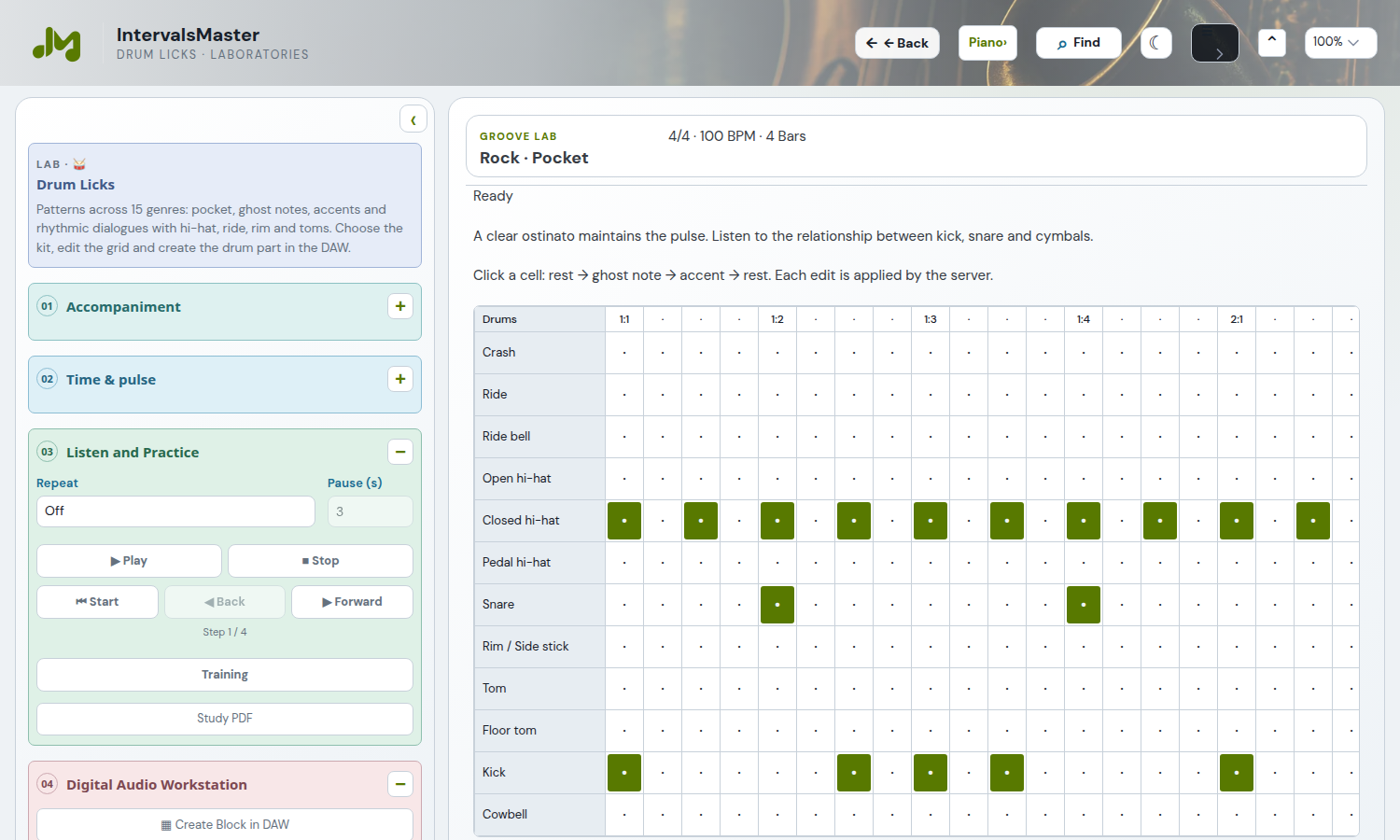
Drum Licks also supports 24- and 32-bar patterns. Create a DAW block, then return to its source to edit it.
The catalogue offers 510 patterns, 34 for each of 15 genres: rock, pop, funk, soul, jazz, blues, bossa, samba, reggae, hip-hop, electronic, fusion, waltz, 5/4 and 7/4. Existing patterns remain available. New rhythmic dialogues combine six kick/snare cells per genre with four orchestrations: hi-hat, ride, rim and bell, toms and accents.
To compare patterns, listen with fills disabled and timing/dynamic variation at zero; add a fill every 2, 4 or 8 bars if needed. Changing pattern updates the grid meter. Settings and cell edits persist; returning to the module does not start audio. After creating a DAW block, check the drum track and MIDI export alongside the harmonic parts.