DAW Player and MP4 export
Open DAW Player from the DAW to listen to the current project. The Player automatically uses audible tracks, available chords, boundaries, loops, sections, count-in and fade-out from the DAW. No second configuration is required.
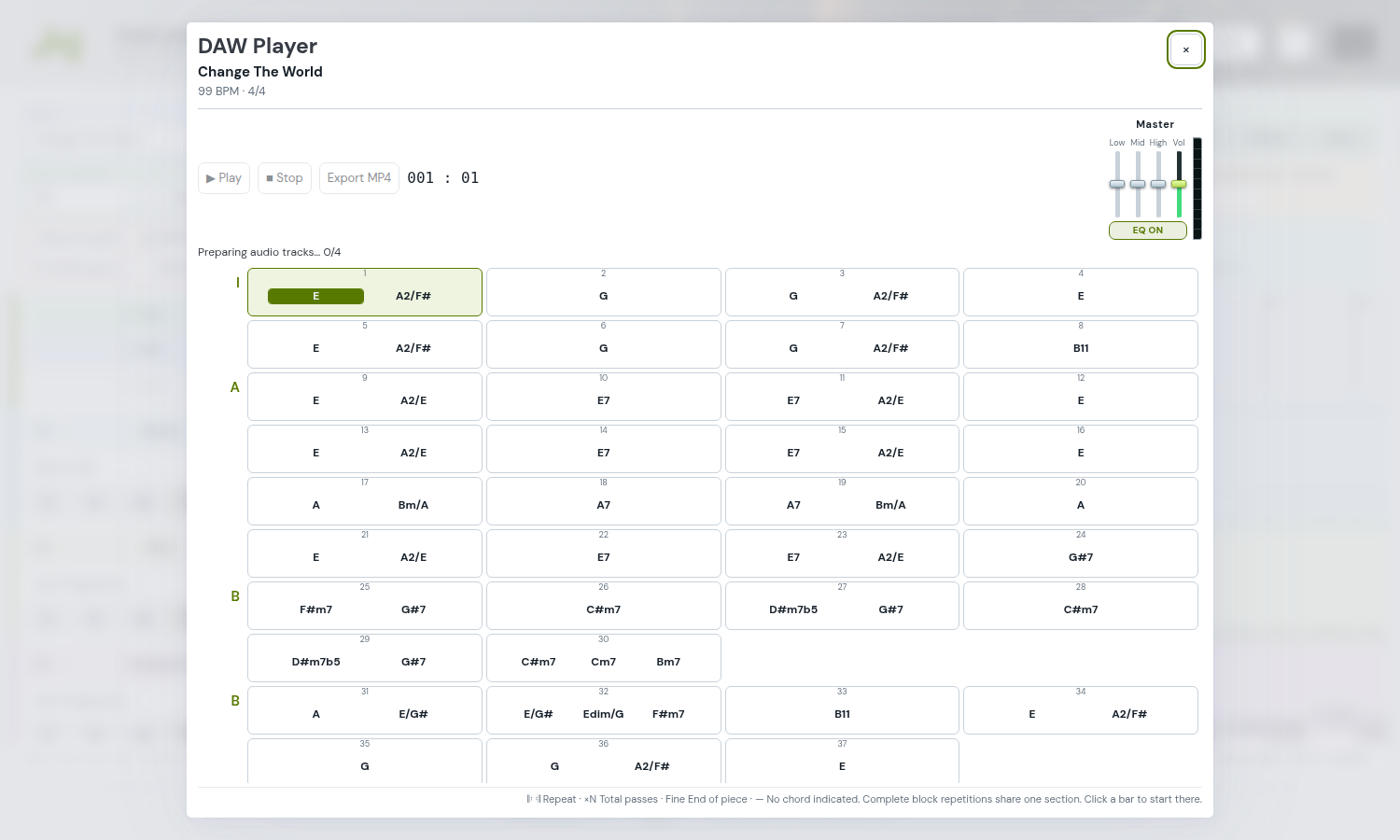
Wait until audio is ready and press Play. Click a bar to start from there; Stop ends playback. The top-right X closes the popup. After changing the project, close and reopen the Player. The standalone page can load an already saved project.
Export without playing the piece
- Set a finite pass count in the DAW for every active loop. An infinite loop needs a finite count before export.
- Open the Player and press Export MP4. The video is composed in the background without starting Play.
- Wait for completion and press Save MP4. Compatible browsers let you choose a name and destination; others start a download.
The Full HD video includes audio, title, synchronised chords, sections and repeats, with intervalsmaster.com centred at the bottom. The layout favours one page, using narrower bars and two columns when needed; very long pieces continue onto further pages. Section labels align to the right next to the chords.
If harmonic data is missing, the Player does not infer chords from notes. Use Songs or the DAW import commands to prepare imported repertoire: the Player is for playback and export.