Example: a backing track in five minutes
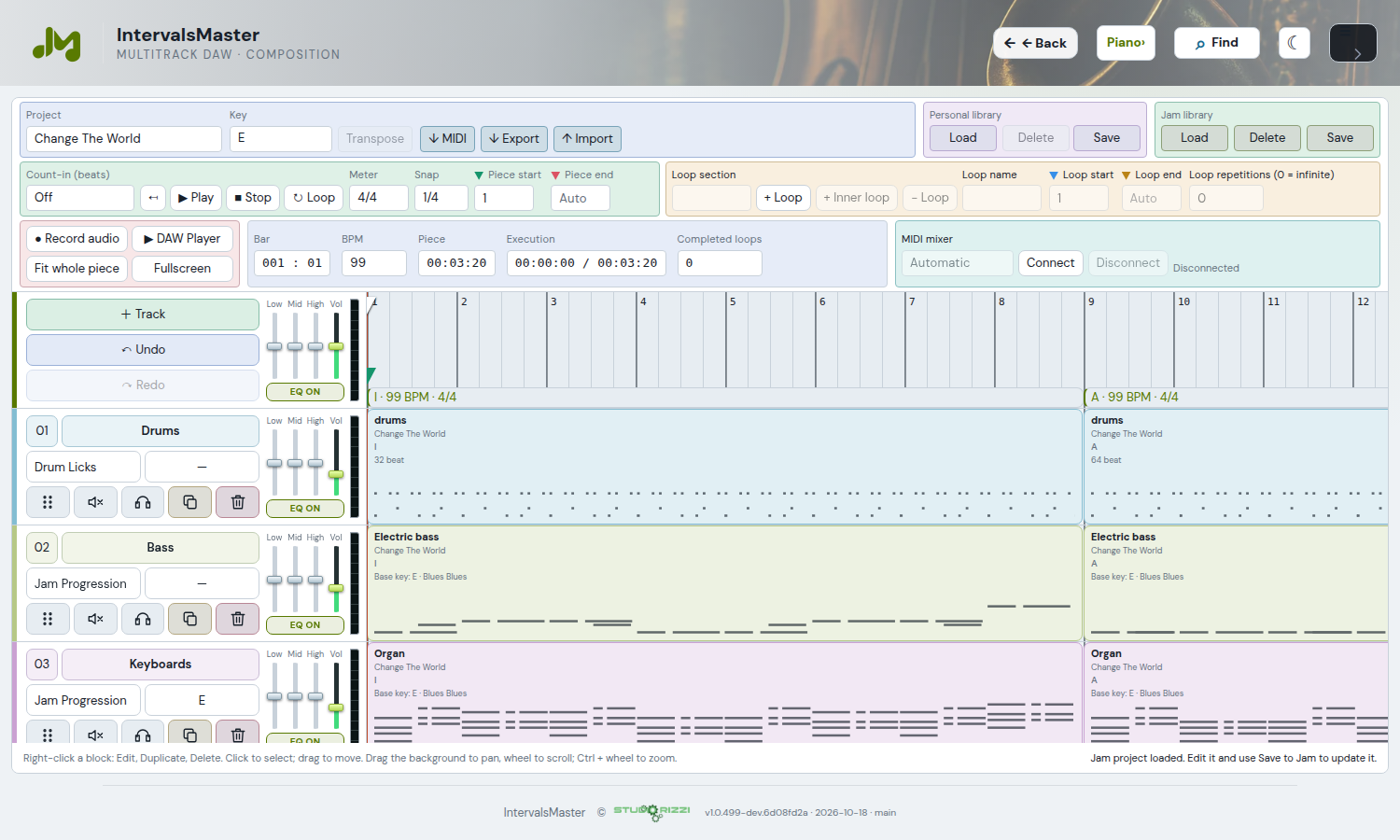
The video shows the backing track created with the “Primo Test” project. The updated screenshot presents the current DAW with a Jam library project.
Create the parts: use Modal Interchange for a C Ionian → Phrygian progression with acoustic guitar, synth and walking bass. Add patterns from Drum Licks.
Arrange the blocks: send the parts to the DAW, align their entries, duplicate blocks and edit the copies in their source modules to create introductions, a main section and an ending.
Define the performance: 140 BPM in 4/4, sections Intro1, Intro2, A and Final; eight passes through the middle loop, an eight-beat count-in and a fade over the final four bars.
Share the result: save the project, open DAW Player and export an MP4. Audio and chords are composed in the background, following the arrangement’s loops and sections.
Example video: backing track created in five minutes
Starting from an imported song
You can build another project from chords imported into Songs: prepare the instrument and accompaniment there, send the block and add the other parts. Compatible sections are retained in the DAW and remain editable.
The DAW Import command also accepts iReal Pro links. Read the link, select a song if it contains a playlist and use Import and save. Generated parts are IntervalsMaster accompaniments: the link does not contain iReal Pro audio. The Player does not offer a separate iReal import.
From iReal Pro to the Jam
Backtrack Management → Import from iReal Pro opens the DAW importer. It imports chords and form and generates editable MIDI accompaniment: the project remains the source. Jazz uses walking bass, comping and sampled drums; pop, rock, soul and funk use sounds and arrangements suited to their genre. Provenance credit remains in project data. Managing the Jam library requires an administrator.
Editing and saving
Edit directly reopens the clip source. Harmonic and bass parts from automatic iReal import use Jam Progression, dedicated to this flow and absent from menus: the sequence remains fixed while you can change key, sound, inversions or bass line, BPM and groove. Drums open Drum Licks with kit, pattern and grid restored. Overwrite clip updates the clip. At the top, Personal library and Jam library use Load, Delete and Save; the same name updates, a different unused name creates a copy. Genre, playlist and order are retained in the Jam; edits are heard from the next start.
Playlists and live instruments
Choose the track in the shared popup with search, genre, playlist and a paginated table. BPM, count-in and transport are compact; playback continues with the popup closed. Performance parameters places instruments and control transfer in a row of equal-height cards. Each instrument has a horizontal 0–200% volume above its named mute button: changes affect everyone without restarting. Refresh preserves fader gestures. To transfer control, select another musician; the list excludes the backing client and current user. Preferences are retained and restoration does not trigger actions.
Chord PDF and song form
Saving to the Jam generates or updates the chord PDF: a bar grid with chords, sections, repeats and endings present in the form, using the DAW Player renderer. Repeats are not invented. The download uses the track name instead of chart.pdf.
Audio preparation and cache
On first start, the server prepares audio from MIDI parts: progress is shown and playback starts only when everything is ready. The cache stores MP3 by track, revision, BPM and instrument and reuses existing results. Editing and saving from the DAW changes the revision and prevents reuse of the old version. The default limit is 1 GB, configurable through JAM_BACKING_CACHE_LIMIT; older generations are removed to make room. Backtrack Management offers manual cleanup. The MIDI project remains editable and the cache stays outside Git.