Instrument Licks
The lick collections provide original phrases organised by genre and context. Use them to study a musical language or create short material for an arrangement.
Instrument Licks brings together phrases for melodic instruments, organised by genre and group. Bass Lines and Grooves and Drum Licks remain dedicated functions. Choose your instrument in the header to see compatible functions. On the page, choose the phrase and its musical settings.
Reading on guitar
- Select a genre, group and phrase.
- Set key and position using the available controls.
- Read the notes, intervals, associated chords and phrase contour.
- Listen to the melody and compare harmonisation or chord-melody modes where offered.
- Press Create Block in DAW to transfer the current material. The selected mode may change the notes included in the block.
Bends, slides and analysis
The Notes, Intervals and Solfège rows describe the same phrase, and the music circle shows its context. Use the shared instrument-panel buttons for step order or TAB on compatible string instruments. A bend starts on the indicated fret and reaches its destination without a second attack; full means a whole tone. A slide connects two frets on the same string. Techniques remain in playback, DAW audio and the study PDF.
Reading on keyboards
The display distinguishes the left and right hands’ roles. Listen to the relationship between chords and melody before assessing density. A phrase suitable for solo piano may become too full when another harmonic instrument is added in the DAW.
Arrange a phrase without making it mechanical
Use a lick as a short statement, leave room for a response and try a variation in the next block. The melody need not repeat in every bar. The DAW preserves the exported duration and rests: inspect the block’s edge before placing another beside it.
To change notes, harmonisation or context, open the block in its source module. The DAW MIDI view is a timeline preview, not a piano roll for drawing individual notes.
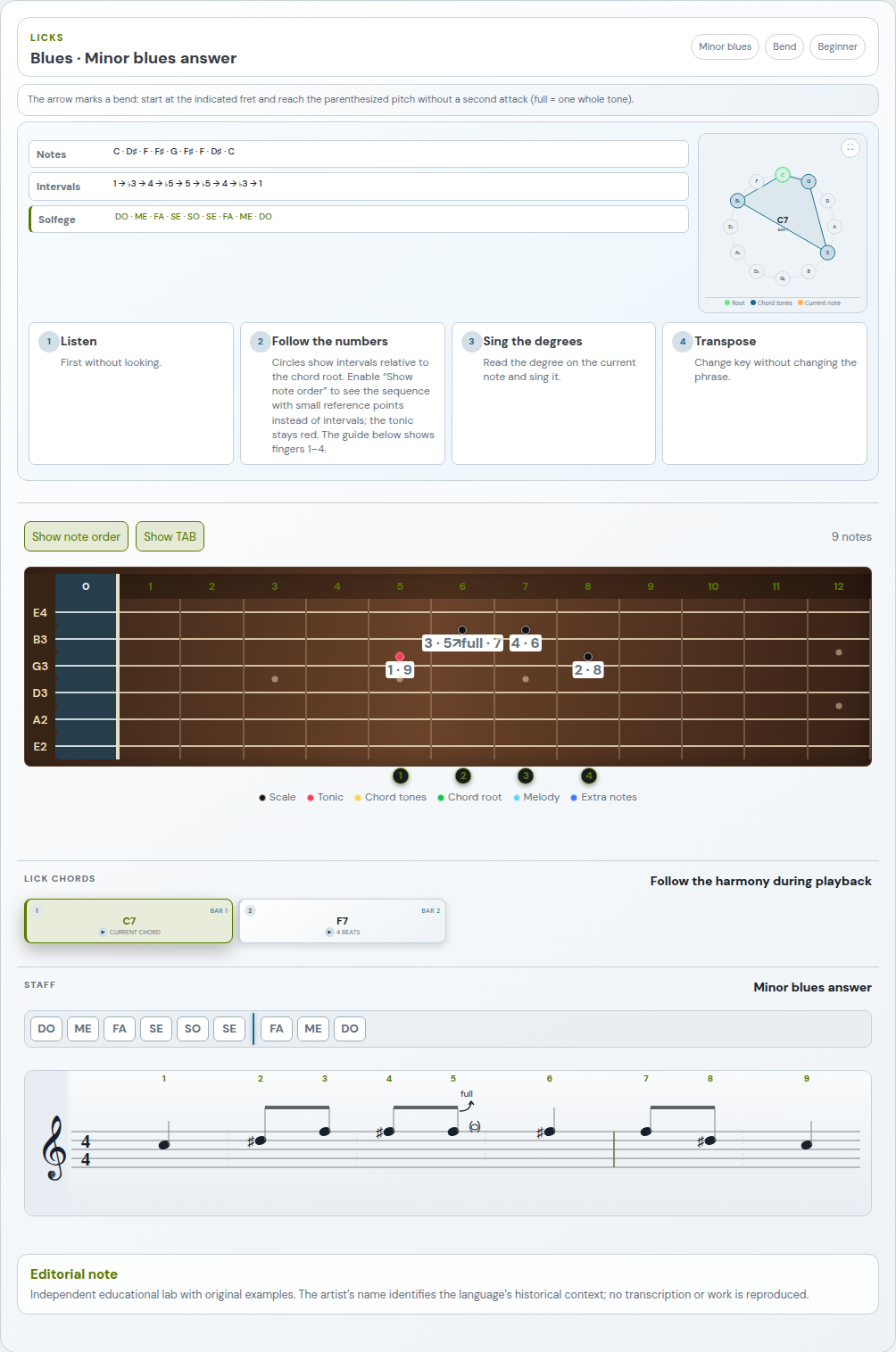
In compatible instrument panels, press Show TAB to read guitar, bass, ukulele and bowed-string tablature; Show fretboard restores the instrument view. Your choice is saved and the study PDF includes the selected view, with notes and chords.