Guided example: practising with the Tutor
Listen, play, compare and repeat
This example uses Training in Scales and Arpeggios: the performance Tutor prepares a sequence, plays each model and records your response. It is separate from the timed study plan with rests and self-ratings.
1. Prepare the material
Open Scales and Arpeggios, choose your instrument and select C major, a single scale and 80 BPM. Disable autoplay and prepare the material before opening Training. Start with a short exercise you can play comfortably.
2. Set up a short session
Press Training. In Performance tutor, set Exercises to 2, Threshold /100 to 75 and Repetitions to 1. Select your audio input and a four-beat count-in. Use headphones and a clean signal; if you cannot separate the click from the input, choose Visual only. Exercises sets the sequence length, while Repetitions sets how many times to perform the material in each take.
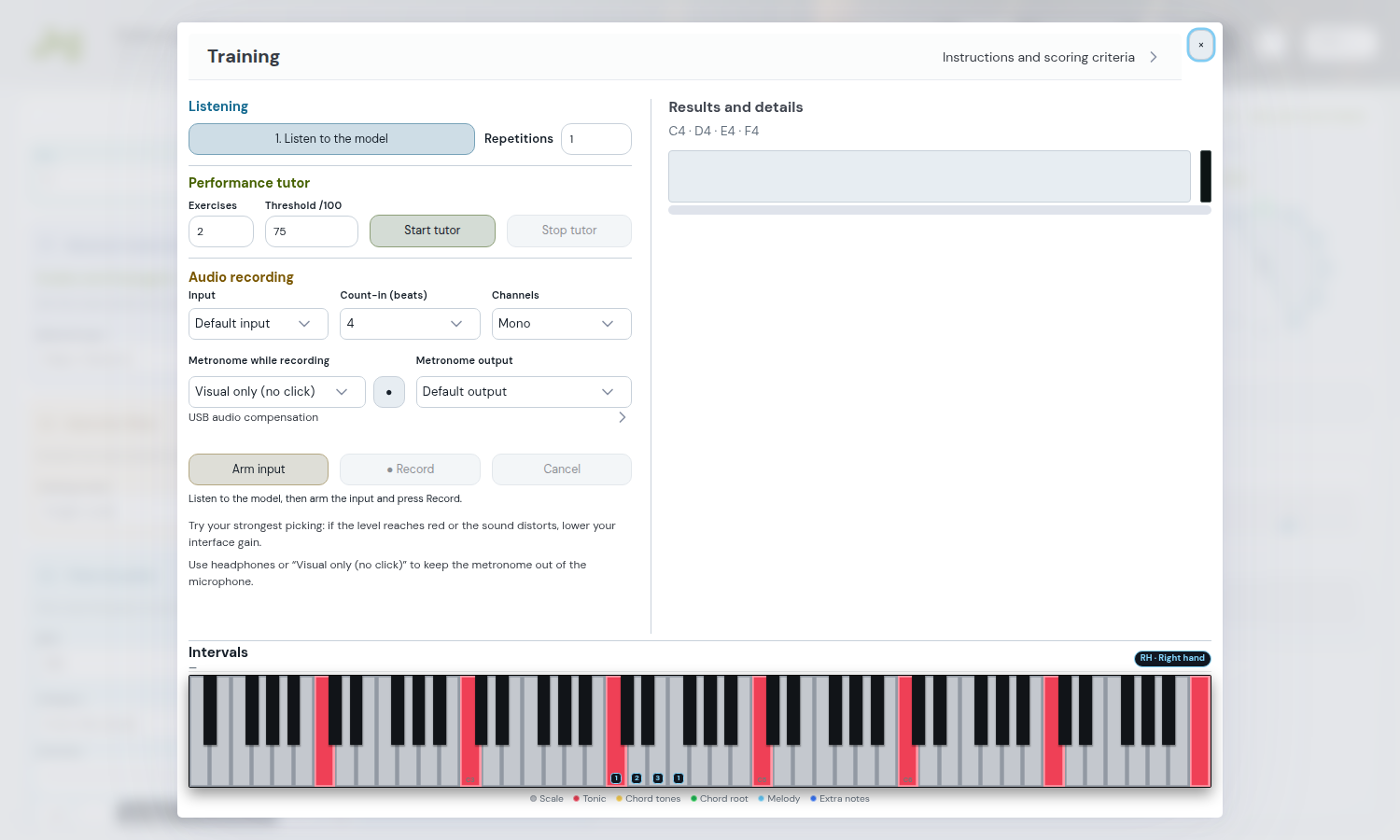
3. Start and answer the model
Press Start tutor. Listen to the first model without playing, allow microphone access when requested and get ready during the count-in. Recording starts automatically: play the displayed material in time. At the end, the Tutor analyses the take and displays the results.
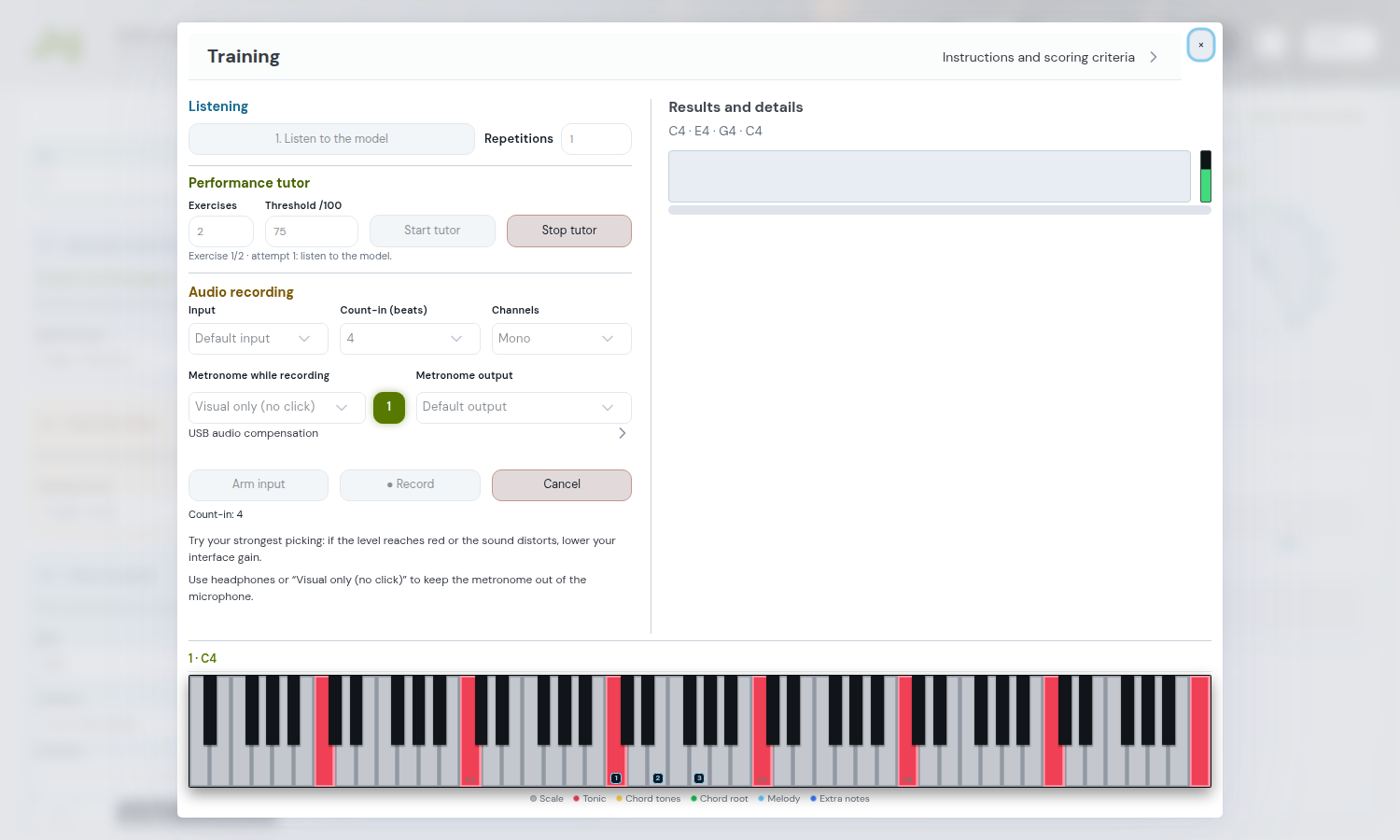
4. Read the feedback
For example, a score of 68/100 with a threshold of 75 keeps the same exercise: the model restarts after three seconds, followed by another attempt. Check missing or extra notes, timing differences in milliseconds and intonation in cents. If the notes are correct but late, focus on entering after the count-in; if intonation is unstable, check tuning and signal quality. These numbers are illustrative, rather than results from an actual recording.
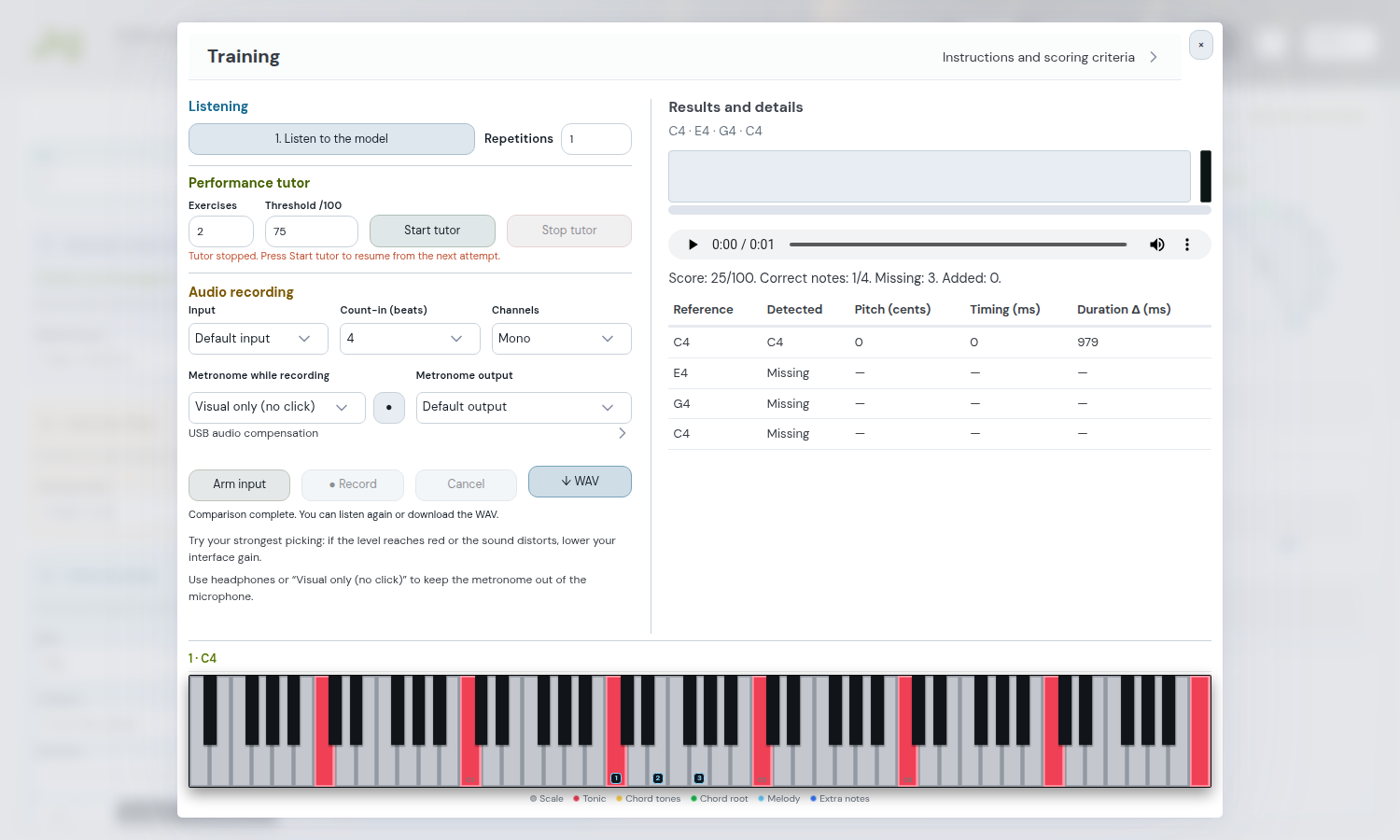
5. Pass the threshold or stop to practise
A score of 82/100 passes the threshold of 75 for the first exercise: the second model starts after two seconds. The Tutor continues until you complete the sequence or press Stop tutor. Stop it to listen back, download the WAV or practise a passage slowly; press Start tutor when ready to resume from the next attempt.
6. Resume a session
Settings and the resumable sequence are retained. After reloading or returning to the module, reopen Training and check the material and sequence status. Resuming requires Start tutor: restoration does not start audio or recording. The browser may request microphone permission again.
What the comparison measures
For melodies: notes 60%, timing 25%, intonation 15%. For chords: pitch classes 75% and change timing 25%, without assessing octaves, inversions or individual voice intonation. Analysis is local and approximate: consider the score alongside listening, particularly with noise, reverb, bends or legato.